Like Odysseus with a gimbal, you circle Oahu chasing first light in Waikiki, salt spray at Halona, and late gold on the North Shore. You plan each stop with purpose, from Diamond Head drone sweeps to turtle closeups and food-truck steam curling over lunch. The route looks easy on a map, but the best shots depend on timing, wind, and one or two smart pivots along the way.
Key Takeaways
- Start before sunrise in Waikiki and follow a clockwise route through Halona, Makapuʻu, North Shore, and west Oʻahu for a smooth day-to-sunset story.
- Capture Waikiki and Diamond Head establishing shots with golden-hour drone sweeps, street-level beach life, and summit or coastal lookout panoramas.
- Film Halona Blowhole and Makapuʻu with wide coastal views, slow-motion wave action, visitor reactions, and clear safety-focused footage.
- Cover North Shore surf culture and Laniakea turtles using telephoto shots, low-angle beach frames, and early or late timing for fewer crowds.
- Bring a smartphone, GoPro, mirrorless camera, drone, gimbal, lav mics, extra batteries, power banks, and backup cards for the full loop.
How to Film the Tour in Order
If you want the day to cut together smoothly later, start before sunrise in Waikiki and let the route lead the story. Catch golden hour drone footage over Waikiki and Diamond Head while the light stays soft and sidewalks stay quiet. Then move clockwise to Halona Blowhole and Makapuʻu Lookout so your timeline follows the island naturally. At each stop, grab a wide view, a clean medium shot, and tight details like waves, surfboards, or snacks. Add short guide intros at a few key locations and chat with food trucks for natural sound. At Makapuʻu, frame the sunrise views from the lookout to add a bright, elevated transition shot. By the time you reach North Shore beaches, the day feels bigger and breezier. Finish west with sunset color, a shoreline timelapse, and one last calm pass to close the circle.
Camera, Drone, and Audio Gear
Once you’ve mapped the day in order, your gear starts shaping how the island feels on screen. Bring a smartphone with a wide-angle lens, a GoPro Hero11+ for action and time-lapses, and a 3-axis gimbal so your walking shots stay smooth. Add a compact mirrorless body with a fast 24-70mm or 16-55mm zoom for richer stills and shallow-depth video. Your drone should carry ND filters, three to four batteries, and 256 to 512GB of cards for long coastal B-roll and a Macadamia Nut stop. Pack two 20,000mAh USB-C power banks, backup SD cards, and a car charger. For audio, use a small shotgun mic, dual-channel wireless lavs, and a deadcat when trade winds start heckling your narration near blowholes and beaches all day long. Since you’ll likely be stepping in and out at multiple scenic stops, wear supportive footwear that can handle long walking stretches and uneven pullout areas around the island.
Waikiki Opening Shots to Capture
Begin in Waikiki while the light is still soft, because this is where your island story gets its cleanest, most recognizable opening. Launch with a legal golden-hour drone sweep over Waikiki, tracing the crescent beach, reef-bright water, and skyline from Diamond Head toward Ala Moana. Then drop to street level. Frame surfers and paddlers beyond the Duke Kahanamoku Statue so motion and heritage share one shot. Set a time-lapse near the Royal Hawaiian Hotel to catch outrigger canoes, shifting tide lines, and the beach waking. Gather close lifestyle clips on Kalakaua Avenue too. Film lei makers, shave ice, vendors, and sandy feet passing by. Finish with a rooftop panorama and catamarans in the channel. It sets up Honolulu beautifully before later stops, including Pearl Harbor. If your route follows a Circle Island Drive, this Waikiki sequence also works as a strong prologue before heading toward the Makapuu Lookout.
Diamond Head Angles to Get
At Diamond Head, you’ll want to work both the crater rim and the coastal lookout, because each angle gives you a different read on Oahu’s edge. From the rim, you can frame rough lava textures against the ocean and catch surfers or boats flickering near the horizon like tiny moving markers. From the lookout, you get the bigger sweep with Waikiki, Kapiʻolani Park, and that warm late-day light that makes even your camera act a little smug. If you’re planning your stops from an Oahu Circle Island Tour Route Map, this is one of the earliest viewpoints worth prioritizing for establishing shots.
Still comparing Circle Island Tour Video Shot List?
Ask for tour ideas, hotel suggestions, or a simple trip plan that combines both.
Trip Helper
Crater Rim Perspectives
Look around from Diamond Head’s rim and you’ll see why this stop earns more than a quick phone snap. At the Park lookout around sunrise, you get soft gold on Waikiki and bright clouds edging the crater. On the eastern rim, shoot a wide 16:9 frame that reveals the horseshoe shape and the trail curling downhill. Check FAA rules first if you’re tempted to fly. Near the summit bunkers, crouch low on the paved trail and let rugged tuff walls tower over your shot, with city towers tucked behind for scale. This angle fits perfectly into an Oahu Circle Island Tour sequence, especially when paired with the dramatic stop at Pali Lookout. Later, set a time-lapse at the summit rail and watch shadows drift across the crater like a Jurassic Park matte painting. It’s a practical setup, and the changing light does half the storytelling.
Coastal Lookout Frames
The coastline gives Diamond Head some of its best angles, and you don’t need a huge setup to make them work. Start with a golden-hour drone reveal from the ocean, rising from glittery water to the crater rim and Waikīkī skyline. Keep clear of crowds and follow local drone rules.
At the summit lookout, pan from the lighthouse and crater interior toward Waikīkī with a 35 to 50mm equivalent lens so the rock texture stays crisp. For a contrasting mountain pass perspective, capture a quick establishing shot at Nuʻuanu Pali Lookout during sunrise to highlight Oʻahu’s dramatic elevation changes. On the coastal footpath, go low with a GoPro and place one person in frame to show the cliff’s scale. For sunset, shoot from the Kahala or Makapuʻu side with a long lens and catch Diamond Head as a silhouette. Then record a beach-to-crater walk-and-talk with surf sound.
Halona Blowhole Shot Ideas
Start with a wide drone pass over Halona Blowhole and the rugged southeastern coast at low tide, when you can clearly see the lava rock channel that funnels seawater into those sudden skyward blasts. On your Circle Island Tour, this establishing shot shows why Halona Blowhole ranks among Oahu’s most popular spots. This stop is a highlight on the Oahu Circle Island Tour, making it a natural centerpiece for your video sequence. From the overlook, film a slow-motion spout as incoming swells hit, then grab visitor reactions near the railing and warning signs to show scale. If access is open, pan from Halona Cove to include the sandy pocket beach, the blowhole, and traffic on Kalanianaʻole Highway. Record the boom of each burst, the wind, and a quick safety bite. Remind viewers to stay behind barriers. Sneaker waves don’t care about your shot list.
Makapuʻu Lookout B-Roll Ideas
A few minutes up the coast, Makapuʻu Lookout opens the frame even wider and trades the blowhole’s sudden drama for long, sweeping views. You can fly a stabilized drone from seaward toward the lookout to reveal the rugged headland, lighthouse, and dramatic coastline on the island of Oahu,National Park rules and FAA limits permitting. From the path, shoot POV and over the shoulder angles past interpretive signs toward Rabbit Island and Koko Head, ideally at golden hour. Then tighten up with a 50 to 100mm lens on the white Makapuʻu Point Lighthouse against the blue Pacific. Capture basalt cliffs, crashing waves, and frigatebirds or shearwaters in 60 to 120fps slow motion. Add visitors at the rail, binoculars raised, for scale and human curiosity. As one of the standout East Oahu stops, this lookout also works well as a wide establishing shot for the scenic drive sequence.
Van Shots to Capture All Day
You’ll want rolling interior angles that show the van waking up with the day, from wide shots of the seats and gear to quick details like maps, snacks, and cold drinks waiting by the window. As you move between stops, grab short candid clips through the windshield so you catch the guide’s voice, the road ahead, and those little passenger reactions that make the ride feel alive. Then balance it with scenic drive-by shots along the North Shore or around Diamond Head, where the van glides past bright water and lava-cut cliffs like it knows it’s on camera. If you’re filming a small-group tour, include a few clips that show the intimate pace and easy interaction between the guide and passengers.
Rolling Interior Angles
While the van loops from Honolulu’s city blocks to windblown coastlines, keep one wide-angle phone or action cam mounted near the driver-side window so the changing light and scenery keep rolling into frame. For the strongest rolling scenery, aim for best seats with clear side-window sightlines so shoreline stretches stay open and unobstructed. Every 30 to 45 minutes, grab 30 to 60 seconds with a gimbal for smooth motion, driver reactions, guide narration, and window reflections you can tame with a polarizer.
| Capture | Why it works |
|---|---|
| Passengers listening | Faces show the tour’s mood |
| Hands, snacks, maps | Tight cutaways add texture |
Lock exposure and white balance before bright shoreline stretches. Use a 50 to 70mm lens for 10 to 20 second details. Log timestamps and GPS notes, so Diamond Head and the North Shore stay easy to find later during your eight to ten-hour loop.
Scenic Drive-By Clips
From the van, Oahu keeps handing you moving postcards, so collect steady 10 to 15 second side-window clips at 24 to 30 fps with a wide lens as Diamond Head Lookout, Halona Blowhole, and Dole Plantation slide past. Watch for window reflections and let a little motion blur sell speed. Add 20 to 30 second dash shots on Kalanianaʻole Highway or the North Shore approaches with a suction-mounted GoPro or gimbal. Grab 6 to 10 second interior b-roll at 60 fps of passengers grinning, the map, and your guide talking. If you are starting in town, capture a quick Waikiki hotel pickup sequence to open the day and establish the tour’s beginning. When you pull in, film 5 to 8 second door-frame reveals. If your van setup allows it, try safe stabilized rooftop angles with an ND filter for long roadside panoramas and ocean cliffs below too.
Macadamia Farm Tasting Shots
A stop at Tropical Farms gives your Circle Island footage a tasty change of pace and a clear sense of place. Start with wide shots of orchard rows and the entrance sign or “Free Tasting” marker so viewers know exactly where you are. Add Hands on cracking as you film a guide or guest opening a nut, then capture Flavor comparison through roasted and chocolate-covered bites and honest reactions. Get macro details of shells, glossy coatings, and salted textures. Record a quick staff clip on farm-grown origins, roasting methods, and free samples. Tropical Farms is a well-known Macadamia Nut Farm on Oahu, which helps anchor this stop in the island experience. Finish with Packaging closeups of bags, labels, price tags, sample boxes, and shelves that make souvenirs look hard to resist for later gifts or your own snack stash back in the car.
North Shore Surf Shots to Capture
Often, the North Shore gives you the kind of surf footage that instantly tells viewers they’re on Oahu’s wild side. Sweep a drone over Sunset Beach and Pipeline in mid to late morning, when offshore winds clean up the faces and winter barrels start throwing. Use Surf forecasting to time those glassy lines from November through February. From Waimea’s cliff, frame slow drops and brutal wipeouts with a long lens, then switch to calmer Haleiwa for consented GoPro paddles and duck-dives. Film wax on boards, shop signs, shuttle trucks, and Local shapers at work. Big wave etiquette matters, so stay clear, chase golden-hour shadows, midday texture, and sunset silhouettes for a strong finish that lingers after the soundtrack fades and salt dries away slowly. During peak season, capture the energy around the Vans Triple Crown as the North Shore hosts some of the world’s premier surfing competitions in November and December.
Turtle Beach Footage Tips
At Turtle Beach, you’ll get your best footage when you keep at least 10 feet back and let a zoom lens or phone telephoto do the polite work. Aim for golden hour light, when the turtles’ shells glow with richer color and the water loses that hard midday glare. Mix in low beach-level views, smooth waterline clips, and any permitted wide overhead shots so your edit feels calm, varied, and a little salt-sprayed. At Laniakea Turtle Beach, tranquil conditions can help you capture steadier, more peaceful shoreline footage.
Respectful Turtle Distance
From a respectful distance, you’ll get better turtle footage and leave the beach feeling like a good guest. To maintain distance, stay at least 10 feet away on sand or in the water. You’ll stress them less and avoid breaking local rules. Use zoom or a telephoto lens so your clips still feel close. Practice quiet observation instead of splashing, shouting, or rushing forward. Wait for natural moments like basking, surfacing, or a slow swim past the reef. Never touch, feed, move, or block a turtle’s path to the ocean. If you’re flying a drone, keep it well offshore, follow current rules, and land fast if a turtle seems disturbed. A little patience often rewards you with calmer scenes, cleaner sound, and zero guilt afterward. For safer filming days, check current beach conditions before you go and choose a lifeguarded beach whenever possible.
Best Camera Angles
Start low and let the beach do some of the storytelling. A low angle from waist to knee height makes a resting honu feel larger while keeping the shoreline in frame. Pair it with a wide perspective so sand, foam, and reef lines add place without tilting the horizon. On Oahu’s east coast, Waimanalo Beach brings a serene backdrop that works especially well for calm, natural turtle footage. When a turtle is in the shallows or hauled out higher on shore, switch to a telephoto and keep a respectful distance. You’ll protect the animal and still catch shell texture, blinking eyes, and flipper flexes. Use slow motion for surfacing moments and breathing detail, then return to standard frame rates for calmer beach scenes. If local rules allow, grab a brief high vantage shot to show waves wrapping around reef patterns. It adds scale. Nicely, without helicopter energy.
Lighting And Timing
If you want the cleanest turtle beach footage, go early and let Laniakea wake up around you. Arrive between 6:30 and 8:30 AM for golden hour timing, when hauled-out turtles are common, the light feels soft, and the beach is still quiet except for surf and slipper shuffles. Midday sun gets bossy. Cut glare with a polarizer, or keep the sun behind you so shell patterns stay rich instead of washed out. Late afternoon gives you warm color and a backlit silhouette, especially from 4:00 to 6:00 PM, but expose for the turtle, not the glittering water. For drones, wait for calm wind and fly slow. Tidal window planning matters too. Low to mid tide reveals more sand, steadier compositions, and clearer frames overall. If you’re planning a broader Oahu Circle Island Tour, build your turtle stop around these early or late windows for the best beach footage.
Food Truck Lunch Shots to Get
Scan the food truck row like you’re casing the scene for lunch, then lock in a wide shot with 3 to 5 trucks, clear signage, and the midday line that builds between 11:30 a.m. and 1:30 p.m. Add street vendor portraits, midday crowd dynamics, and flavor profile captures while you work the row. Then move close for 4 to 6 second clips of a shrimp plate getting stacked, hit with garlic butter or spicy sauce, and lifted on a fork. The North Shore shrimp trucks are some of the most popular lunch stops on Oahu, so make sure you capture the standout names and their signature plates. Grab shave ice too. Shoot a slow syrup pour and a spoon breaking the bright dome, then catch the stand and menu. Finish with a hands-and-food POV bite of loco moco or poke, steam and sauce first, then pan to prices, condiments, and nearby service.
Haleiwa Drive-By Shot List
With lunch clips in the bag, keep the camera rolling as you cruise into Haleiwa, where the North Shore swaps food-truck bustle for old-town color and easy surf-town charm.
Grab a steady wide of the town sign on Kamehameha Highway at golden hour, then ease down Kūhiō Avenue for vintage storefronts, surf shops, and local muralstories. Lean into beach town charm by capturing the relaxed pace and colorful local character that make Haleiwa feel distinctly North Shore.
| Shot | Focus | Tip |
|---|---|---|
| Town sign | Warm opener | Hold steady |
| Harbor pan | Boats, break, inlet | Fly legally |
Add quick inserts of Matsumoto signage, shrimp-truck customers, palm-lined streets, VW vans, and a surfer silhouette carrying a board. If you can, pan above Haleiwa Harbor for coastal context and tidy segue clips. Keep traffic moving through frame, listen for board racks rattling, and let those hand-painted signs give your sequence texture.
Dole Fields and Movie Site Cutaways
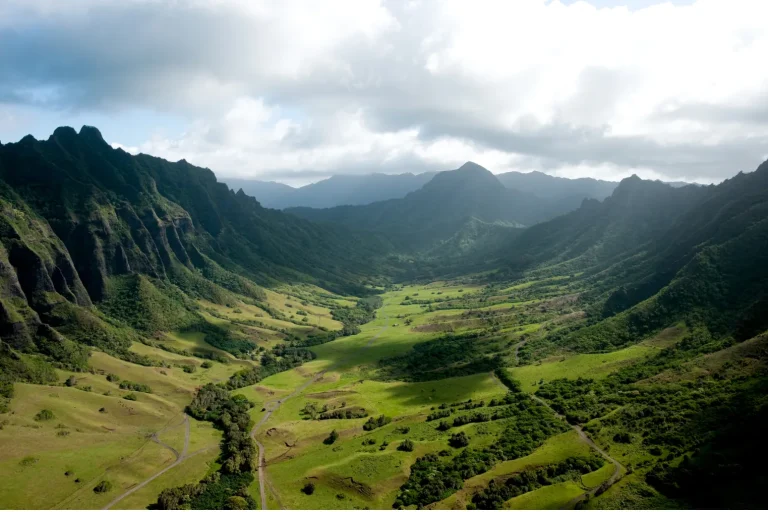
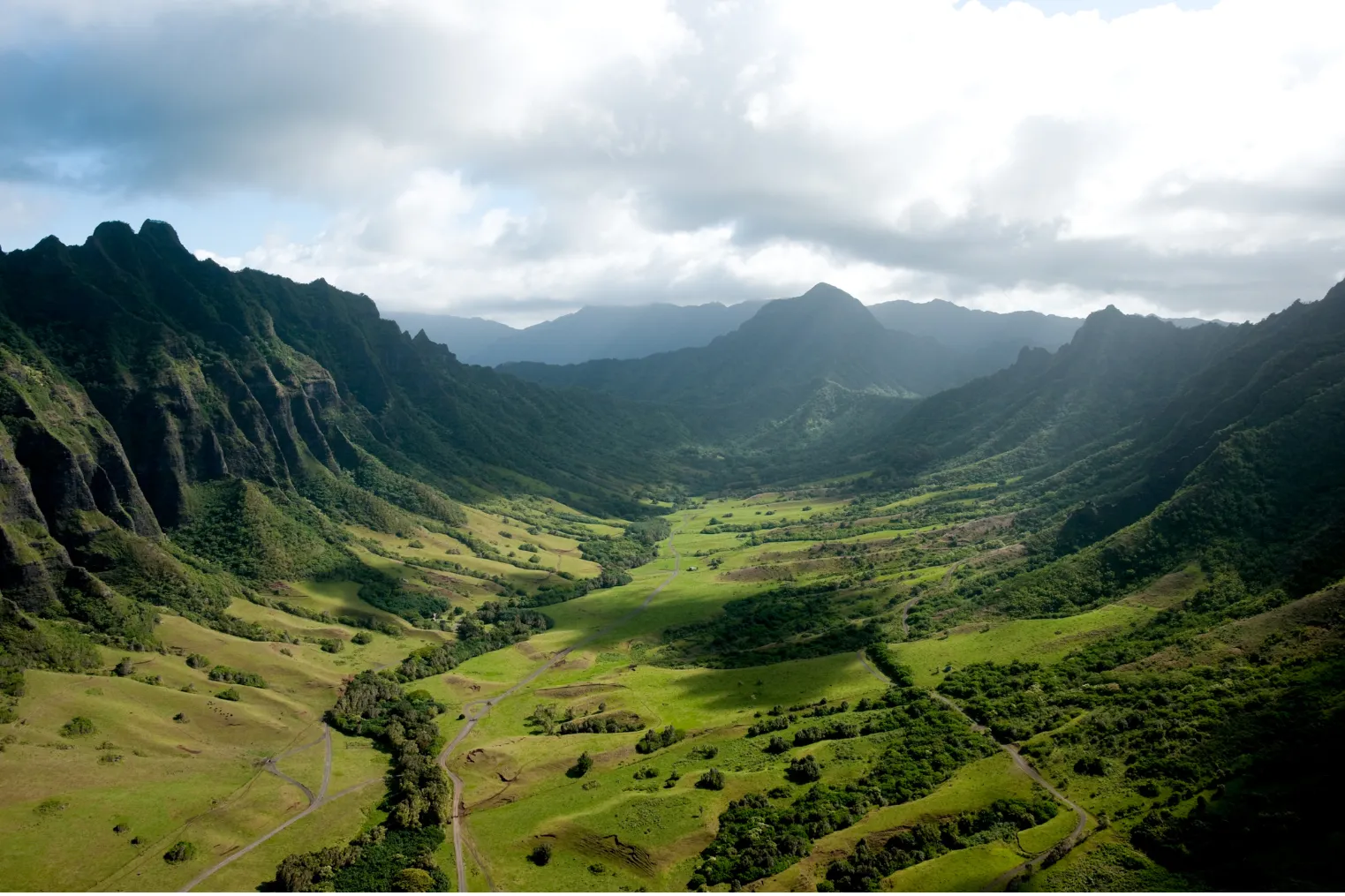
You’ll want sweeping golden-hour shots over the Dole fields, where the pineapple rows line up like graph paper and the bright yellow sign gives you easy scale. Then you can grab close cutaways of ripe fruit, rough leaves, and workers’ hands in motion, plus quick time-lapse clips of Dole Whip samples and maze wanderers for lively 10 to 15 second inserts. To connect the plantation setting to Oʻahu’s screen history, you can add brief movie site cutaways nearby and label recognizable landscapes or sets with film names like Jurassic Park and Jumanji 2. You can also capture the Pineapple Express train tour or the Pineapple Garden Maze to add iconic visitor-attraction footage that instantly identifies Dole Plantation.
Pineapple Field B-Roll
Start out at the Dole fields near golden hour, when the low light rakes across the pineapple rows and makes the whole place look neatly stitched into the earth. Chase golden hour symmetry with slow drone reveals, if allowed, then drop to eye level for lateral moves that show every spiky crown. Mix in macro texture from leaves, fruit skin, and signs. Capture ambient ambience too. Twenty seconds of breeze, birds, and distant machinery will save your edit later.
| Shot | Timing | Why |
|---|---|---|
| Drone sweep | 4–6 sec | Show scale |
| Row push-in | 10–15 sec | Reveal texture |
| Macro cutaway | 3–5 sec | Smooth segues |
Keep clips steady, curious, and clean. Even pineapples look cinematic when you don’t rush them. A worker passing through frame can add honest rhythm.
Film Location Inserts
Frame these inserts like little proof points that place the viewer exactly where you are. You anchor the tour with quick IDs and tactile cutaways that connect Dole fields to movie magic and nearby historic landmarks.
- Fly wide over pineapple rows at golden hour.
- Grab macro shots of fruit, hands, and train tracks.
- Pan the maze entrance and sign for 3 to 5 seconds.
- Shoot clean movie site plates, then add one person for scale.
- Layer ambient sound, local anecdotes, and filmmaker interviews on top.
At each film stop, hold 5 to 10 seconds so editors have room. Let guides name the title, year, and scene in short L-cuts. Even the empty roadside vista feels famous, which is half the fun for viewers too.
Sunset Beach Finale Shots
By late afternoon, Sunset Beach gives you a finale that feels big without trying too hard. Send up a wide aerial between about 5:45 and 6:15 to trace the north shore coastline, incoming surf lines, and golden hour silhouettes. Then drop to 120fps for reef break textures, lip curls, and wave faces detonating on the outer reef.
At low tide, walk the sand with a gimbal and follow the community exodus as surfers leave footprints beside tide pools and coppery reflections. Grab candid portraits of locals waxing boards, heading for the lineup, and reacting on shore with a 50 to 100mm view or chest mount. Finish from a bench or bluff with a 15 to 30 second time-lapse as the sun slips behind silhouettes.
Frequently Asked Questions
Do I Need Filming Permits for Commercial Circle Island Tour Videos?
Yes, you may need permits for commercial circle island tour videos: permit requirements depend on location, crew, and gear. You must follow drone regulations, and you’ll face park restrictions at state or city-managed sites often.
What’s the Best Season for Calmer Weather and Clearer Ocean Shots?
Like glass under dawn’s brush, you’ll get the calmest weather and clearest ocean shots in late spring and early summer, when trade winds stay moderate, winter swell fades, and morning light gives your footage color.
How Long Should the Final Tour Video Ideally Be?
Your ideal length is 4–6 minutes because you’ll really maximize viewer retention while covering key stops. You can also create 60–90 second cutdowns and 10–12 minute versions when platform norms or deeper storytelling demand flexibility.
Can Guests Be Filmed Without Signed Appearance Releases?
Yes, but here’s the catch: you can film guests in public spaces without signed releases for incidental capture, because privacy expectations are limited there. Still, you’ll want consent for recognizable people in promotional footage, usually.
What Music Licensing Is Needed for Publishing the Tour Video Online?
You’ll need sync rights for any song paired with your video, plus a master license for specific recordings; review royalty considerations carefully. If you use public domain tracks, verify recordings and platform claim policies, too.
Conclusion
You’ll finish this Oahu circle island tour with a memory card that feels almost unfairly full. From Waikiki’s first pink glow to Sunset Beach turning liquid gold, you’ve chased cliffs, surf, turtles, pineapples, and roadside lunches in one looping day. Keep your shots organized, batteries charged, and windows clean for drive-bys. Then let the island do its wild work. Even a simple pull-off can look like a movie set showing off for your lens today.